

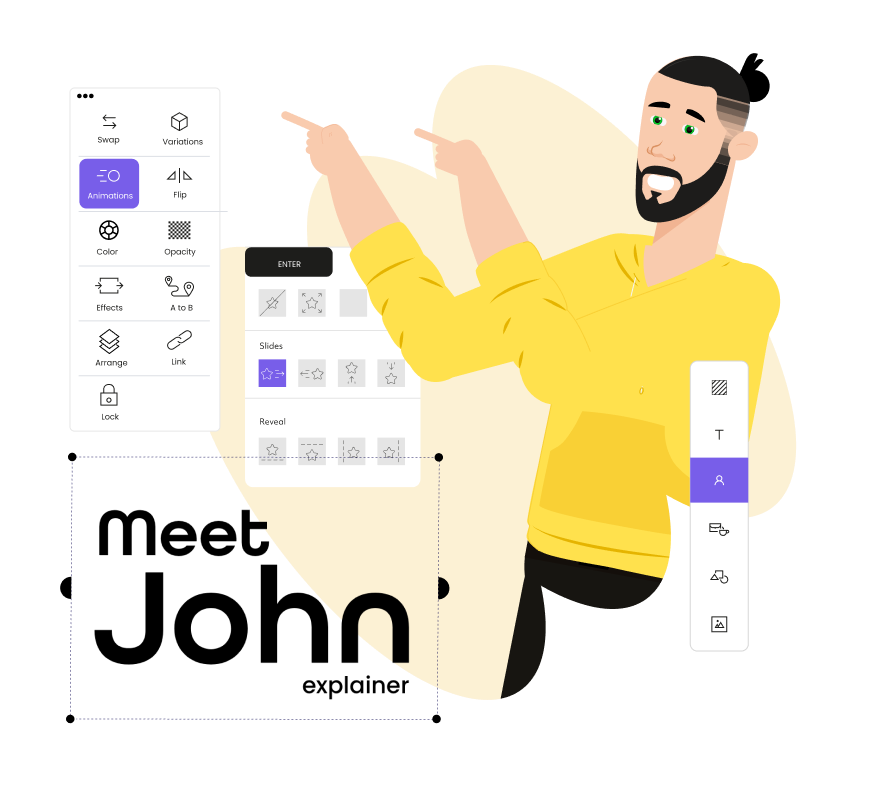
In a world where audiences scroll fast and attention spans are shrinking, explainer videos have become a powerful communication tool for brands. Whether you’re clarifying a product, simplifying a process, or showcasing a concept, these short videos make your message easy to understand and memorable. But producing them manually can take days—scripting, designing, recording, editing, and polishing everything into a coherent story.
Thanks to AI, you can now create clean, professional explainer videos in a fraction of the time. From auto-generating visuals to producing voiceovers and animations, AI tools have simplified the process for creators, marketers, and businesses of all sizes. Below, we explore seven AI explainer video creators that can help you craft visually engaging stories with minimal effort—starting with Invideo.
1. Invideo
Invideo stands out for its flexibility, beginner-friendly experience, and extensive AI features designed to support various video types, including explainers. It helps creators produce clear and concise story-driven content without spending hours on technical workflows. What many users appreciate is how the platform gives enough creative freedom to customize scenes, add motion graphics, incorporate visuals, and refine pacing—all essential elements of an effective explainer.
Invideo can also function as an explainer video creator, allowing you to convert scripts into videos, pair voiceovers with visuals, and weave together story sequences with ease. Its AI assists with scripting, auto-editing, and generating voiceovers that match the tone of your brand. You can also rework your content using different formats if you need multiple versions for various platforms.
In one part of the creation process, you might want a solution to speed up raw assembly and editing. This is where using an AI video generator app becomes useful, especially when you need fast iterations during the storyboarding or testing phase. Invideo integrates well into that workflow by allowing you to refine or repurpose outputs without feeling restricted.
Overall, it offers a comfortable environment for building explainers—from product walk-throughs to brand storytelling pieces—without requiring advanced design skills.
2. Clipchamp
Clipchamp has gained popularity as a simple, accessible tool for producing short marketing and explainer videos. Its drag-and-drop editing system ensures that beginners can assemble scenes easily while still achieving polished results. With built-in features like text overlays, transitions, and stock footage libraries, Clipchamp helps streamline the storytelling process.
Where it Helps With Explainers
Clipchamp provides auto-captioning, basic AI voice options, and an intuitive editor suited for linear story content. If your workflow requires minimal complexity, this tool makes it easy to create clean and structured explainer videos, especially for social media, product demos, or instructional pieces.
3. Wave.video
Wave.video combines video editing, creation, and hosting into one system, which makes it especially useful for brands that want everything in one place. Its AI-driven voice features and content creation prompts support users who need to build videos quickly but still want solid control over visuals and layout.
Why It Works for Explainers
Wave.video supports multi-scene storytelling with transitions, overlays, and brand-friendly color controls. It offers a large media library, which is helpful when building narrative sequences. For brands that want to create tutorials, how-to guides, or awareness content, Wave.video’s all-in-one structure keeps the workflow organized.
4. Moovly
Moovly is known for its extensive animation capabilities, making it a great choice if your explainer videos rely heavily on motion graphics rather than live-action clips. The platform supports a wide variety of visual styles—from cartoon-style animations to whiteboard videos.
How It Supports Explainability
Moovly’s AI features assist with auto-generated voiceovers, scene assembly, and script-to-video options. If your brand prefers lighter, animated storytelling, Moovly makes it easy to build characters, transitions, and narrative sequences that feel dynamic yet simple.
5. Magisto
Magisto focuses on automated editing, using AI to select the best footage, sequence clips, and analyze emotional tone. While it focuses more on storytelling through live-action footage, it can still play a role in simple explainers that rely on real visuals rather than animated guides.
Best Uses for Explainers
If your brand story benefits from real-world visuals—team introductions, behind-the-scenes content, quick showcases—Magisto can automatically structure your story for clarity and emotional engagement. It’s well-suited to fast-paced narratives where you don’t need detailed design or complex animation.
6. Biteable
Biteable is widely used for businesses that want to build quick internal communication videos, marketing explainers, or HR updates. It offers pre-made motion graphics, characters, and scene layouts that help you create straightforward explainer content without needing advanced design capabilities.
Why It’s Useful for Explainer Videos
Biteable’s strength lies in its simplicity. The scenes are built to communicate ideas efficiently, and the animations are lightweight and professional. For brands that value speed and clarity over heavy customization, Biteable helps maintain a consistent look across different videos.
7. Typito
Typito is a text-centric video creation platform, making it especially useful for explainers that rely heavily on titles, descriptions, or step-by-step content. It is known for clean typography, strong visual alignment tools, and smooth text animations.
Explainers That Benefit the Most
If your brand story involves instructions, breakdowns, or straightforward messaging, Typito makes the content more polished through structured layouts. Its motion text capabilities help highlight key ideas, ensuring the viewer’s attention stays on the points that matter most.
Additional AI Tools Worth Considering
While the seven tools above cover a wide range of explainer video needs, here are a few more AI tools that can support specific styles or workflows:
Animaker
Useful for animated explainers with character-driven scenarios. It offers various visual styles and supports script-based video generation.
Renderforest
Allows users to combine animations, product walkthroughs, and branded sequences with minimal manual editing. Ideal for simplified storytelling.
Powtoon
Known for animated, presentation-style videos. Great for businesses looking to simplify product or service communication in a fun, visual way.
How to Choose the Right AI Explainer Video Creator
Selecting a tool depends on your brand’s style, workflow, and video goals. Consider the following factors before finalizing a platform:
1. Your Preferred Visual Style
Animated vs. live-action
Motion graphics vs. text-focused
Minimalist vs. highly detailed scenes
2. Ease of Use
If your team doesn’t have a dedicated editor, choose tools with simple interfaces and strong automation.
3. Voiceover Requirements
Some tools offer AI voices with multiple accents, while others allow custom narration or voice cloning.
4. Level of Customization
Do you want to fully customize each scene or simply assemble pre-designed segments?
5. Collaboration Features
If multiple team members need to review or edit videos, prioritize platforms with shared workspaces.
6. Output Formats Needed
Consider whether you need videos in various aspect ratios for social media, websites, onboarding modules, or email campaigns.
Final Thoughts
Explainer videos are one of the most effective ways to bring clarity to your brand story. With AI stepping into the content creation process, producing these videos has become faster, more intuitive, and more accessible. Whether you’re focusing on animated storytelling, text-driven explainers, or real-world narratives, there is an AI tool that fits your creative direction.
Invideo—alongside other solutions like Clipchamp, Wave.video, Moovly, Magisto, Biteable, and Typito—offers different strengths to help you produce compelling explainer videos without overcomplicating the workflow. The best part is that these tools lower the barrier to creating high-quality content, allowing you to focus on delivering a message that resonates.
